Work through locations
Capture label details as operators move through rooms, shelves, bins, or storage zones.
 BatchVerify
 Stocktake workflow
Move through shelves and bins with a guided mobile workflow for quantities, batches, serials, expiry dates, and product labels.
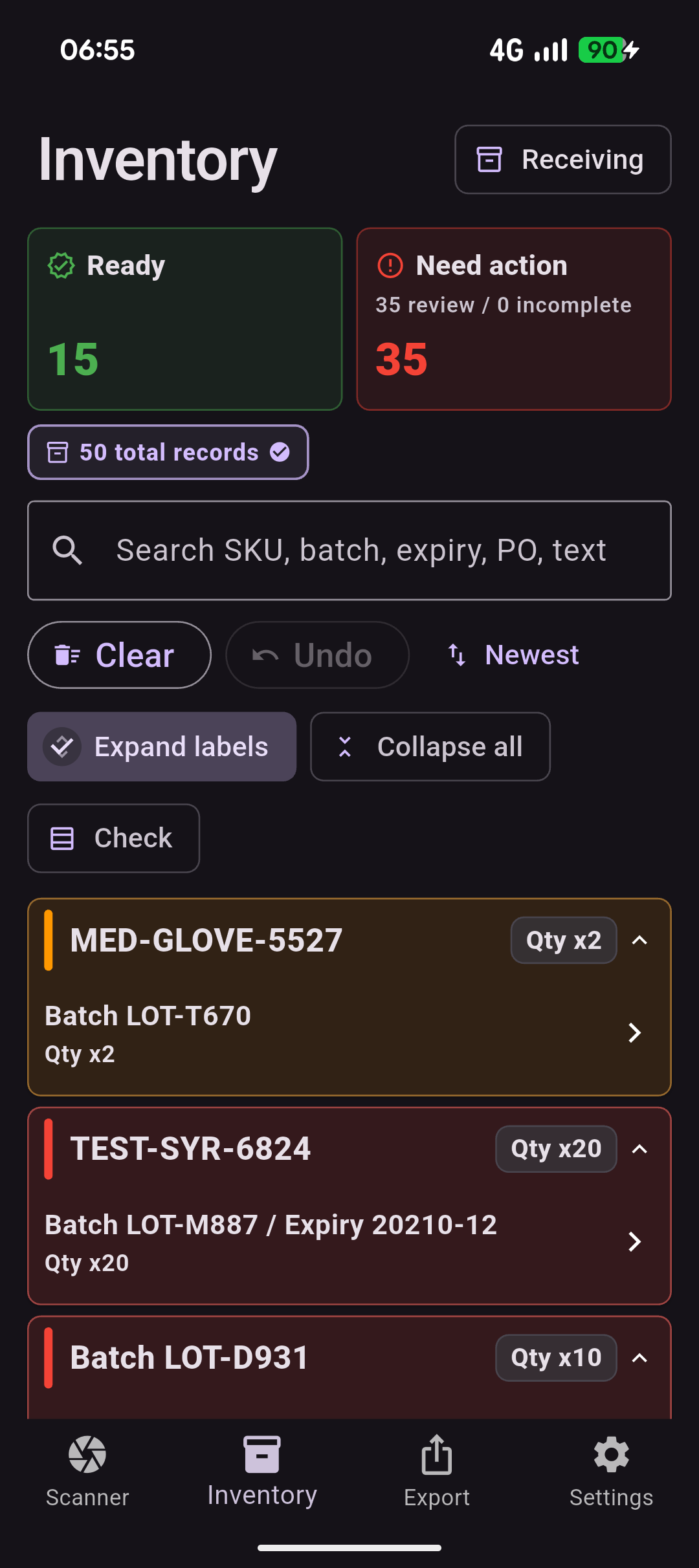
Capture label details as operators move through rooms, shelves, bins, or storage zones.
Keep clean captures ready for export and flag uncertain records before they create cleanup work.
Send structured stocktake records to the people handling reconciliation, compliance notes, or inventory updates.
Where it helps
Give operators a faster way to capture the details they already check, while keeping review close to the physical label and the export clean for the next team.
What you get
Questions
BatchVerify is designed to fit around existing warehouse, inventory, and spreadsheet workflows, so teams can try mobile capture without a heavy systems project.
Operators can capture label details as they move through locations, then keep clean records separate from captures that still need review.
No. BatchVerify is the capture and review layer before reconciliation, spreadsheet updates, or inventory system workflows.
Yes. Quantity can be captured alongside batch, lot, serial, expiry, SKU, and other traceability fields.
Yes. A small team can trial the mobile workflow first, then discuss higher-volume workflows when repeated stocktakes create enough value.
Start now
Use the free path to test the workflow on real labels. Book a demo when you want to discuss operators, capture volume, export formats, or a rollout across the team.